Features RoboRemoSPP - Bluetooth RC
App connects to Bluetooth SPP module like BlueSMiRF, HC-05, HC-06, BTM-222, etc.
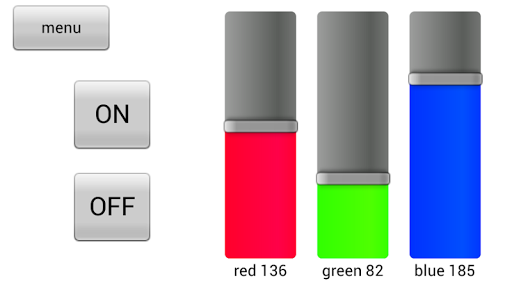
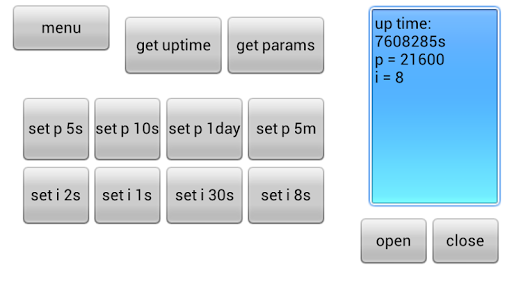
(NOT BLE).Customize the interface for your project need: add buttons, sliders, LEDs, etc.
Use phones accelerometer to control the steering of an RC car or to tilt a drone.
Use plots to display real-time data from sensors.
There are unlimited use cases.You can export interface file and import on another device.RoboRemoSPP is cheaper version of RoboRemo, for those who need only Bluetooth SPP connectivity.
Other functions are the same.If you think that you will need other connectivity as well in the future, we recommend the RoboRemo app: https://play.google.com/store/apps/details?id=com.hardcodedjoy.roboremoPlease note that upgrading from RoboRemoSPP to RoboRemo by paying the difference is NOT possible.Video tutorial:https://www.youtube.com/watch?v=GBslxWFVJI4&list=PLrDdyMGoCY7KN28PD_DOIUlDj8hNFnaIbExample projects:https://www.roboremo.app/projectsApp.
manual:https://www.roboremo.app/manual.pdfApp.
intended for personal, non-commercial use only.End-User License Agreement:https://www.hardcodedjoy.com/app-eula?id=com.hardcodedjoy.roboremosppPrivacy Policy:https://www.hardcodedjoy.com/app-privacy-policy?id=com.hardcodedjoy.roboremospp
Social Features
Connect and share with friends and the community.
Gaming Features
Enjoy immersive gaming experience with various game modes.
Camera Features
Advanced camera features with editing capabilities.
See the RoboRemoSPP - Bluetooth RC in Action
Get the App Today
Available for Android 8.0 and above